
How to Install Drum Kits and Sample Packs in FL Studio
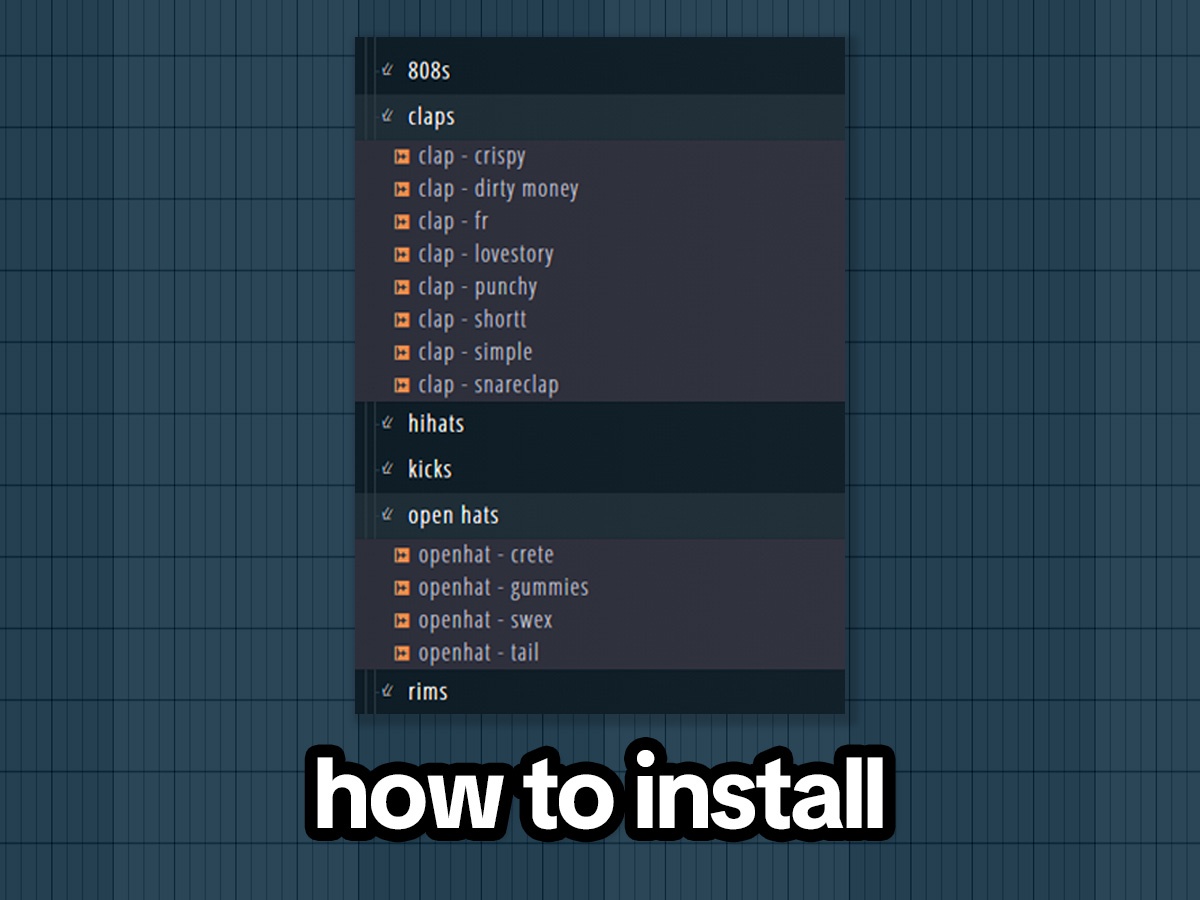
 free downloadShonci Trap EssentialsDownload
1. Make one folder for all your kits
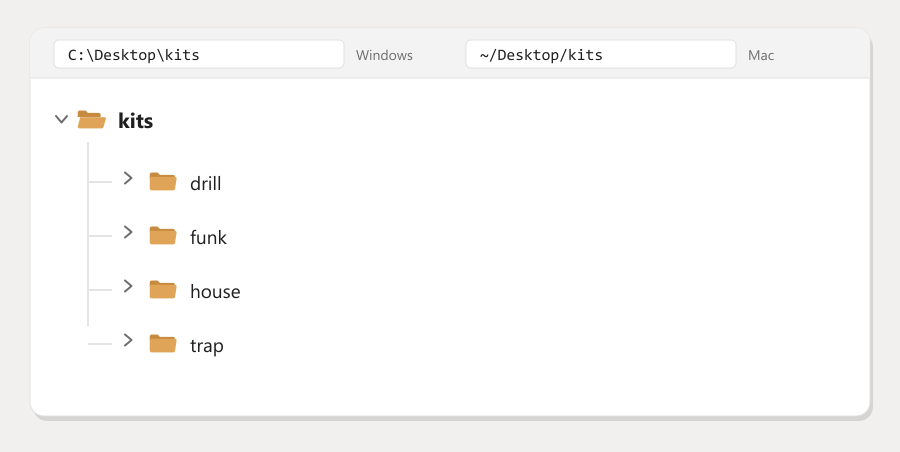
Make a folder called kits. Put it anywhere, C:\Desktop\kits is fine. Inside it, make one folder per genre you make: trap, drill, house, funk.
Every kit you ever download goes in here. That is the whole system, and it is the part most people skip.
2. Unzip your kit into a genre folder
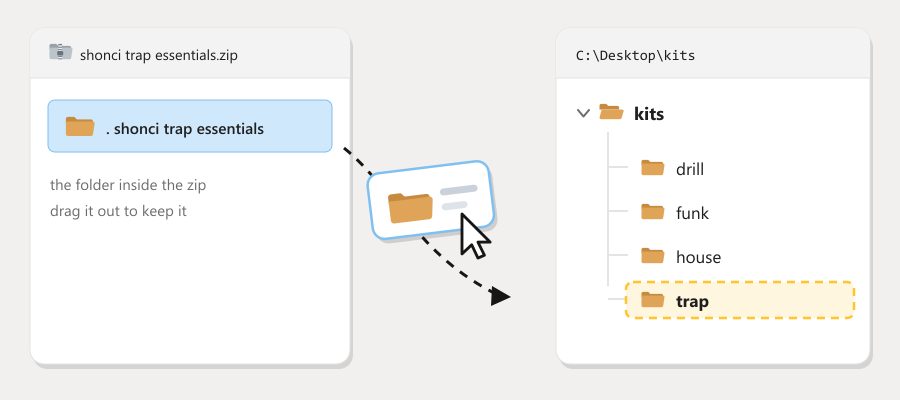
Right click the zip, hit Extract All, and send it to the matching genre folder. FL cannot see inside a zip, so this one is not optional.
Once a kit is sitting in place, leave it there. Projects remember where a sample lives, so moving it later breaks old beats.
3. Add that folder to FL Studio
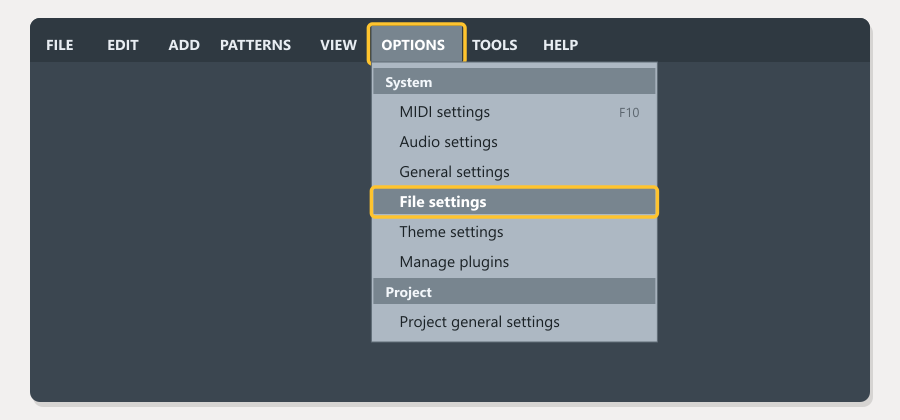
Go to Options, then File settings.
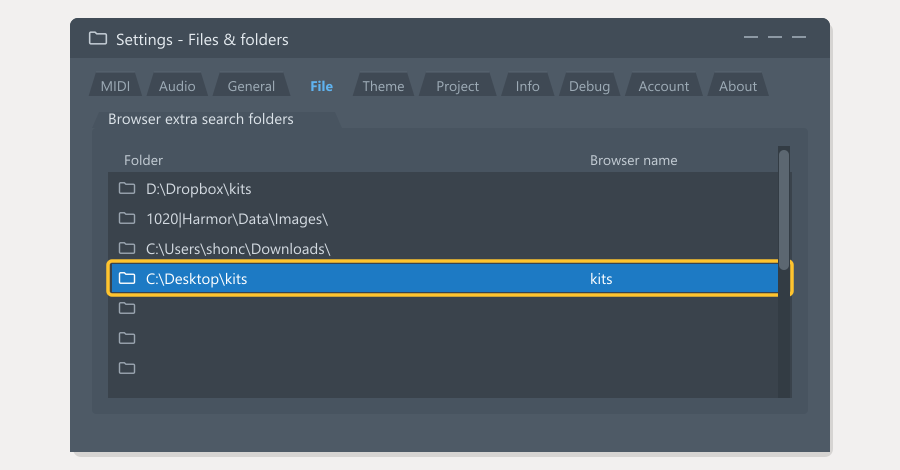 Find Browser extra search folders, click an empty row, and pick your kits folder. Type a name next to it so it is easy to spot.
Pick the kits folder, not the kit itself. That is the difference between doing this once and doing it every single time.
4. Find your kits, and refresh
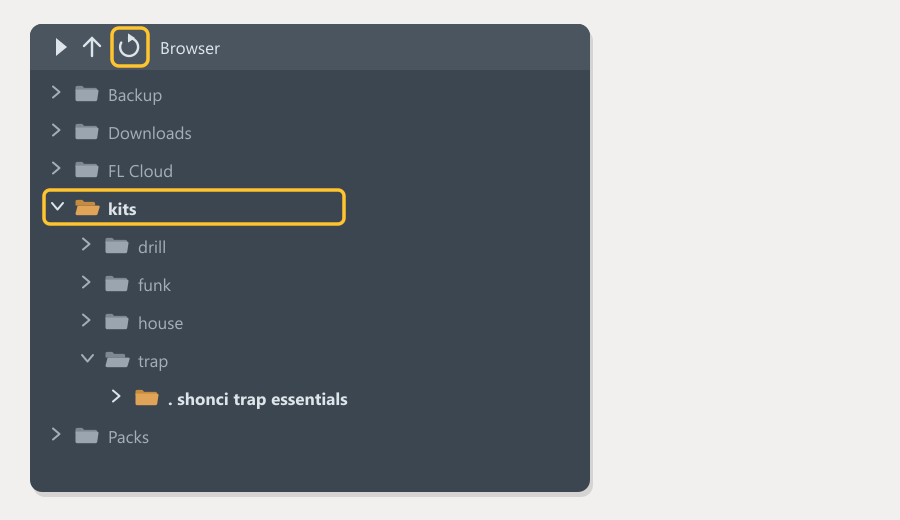
Open the browser on the left. Your kits folder is there with your genres inside. Click any sound to hear it, then drag it into the channel rack to use it.
Nothing showing? Right click in the browser and hit Refresh.
If it is still not working
The folder is empty in FL. The kit is still zipped. Go back to step 2.
Only some kits show up. You added a single kit as a search folder instead of the kits folder. Remove it and add the parent.
FL says samples are missing on an old project. The folder moved or got renamed. Point FL at the new location when it asks, then save the project again.
Samples sound quiet. Normal for one shots, they are mixed with headroom on purpose. Turn the channel up rather than reaching for a limiter.
Other DAWs
- Ableton Live: drag the kits folder into Places
- Logic Pro: drag the WAVs straight onto a track
- Studio One: Files tab, then bookmark the folder
- Reaper: Media Explorer, then add to shortcuts
Or skip the folders entirely
woopo installs kits and plugins straight into your library, keeps them updated, and follows your account to any machine you sign into.

