How to Make an Acapella From Any Song and Fit It to a Beat
You want the vocal on its own: for a remix, a mashup, or to hear exactly how the singer stacked a harmony. The official acapella is nowhere to be found, and the full song is all you have.
A browser tab can pull a voice out of a finished mix now. The harder parts are getting it clean and making it sit on a different beat.
The quick way: split the song in your browser
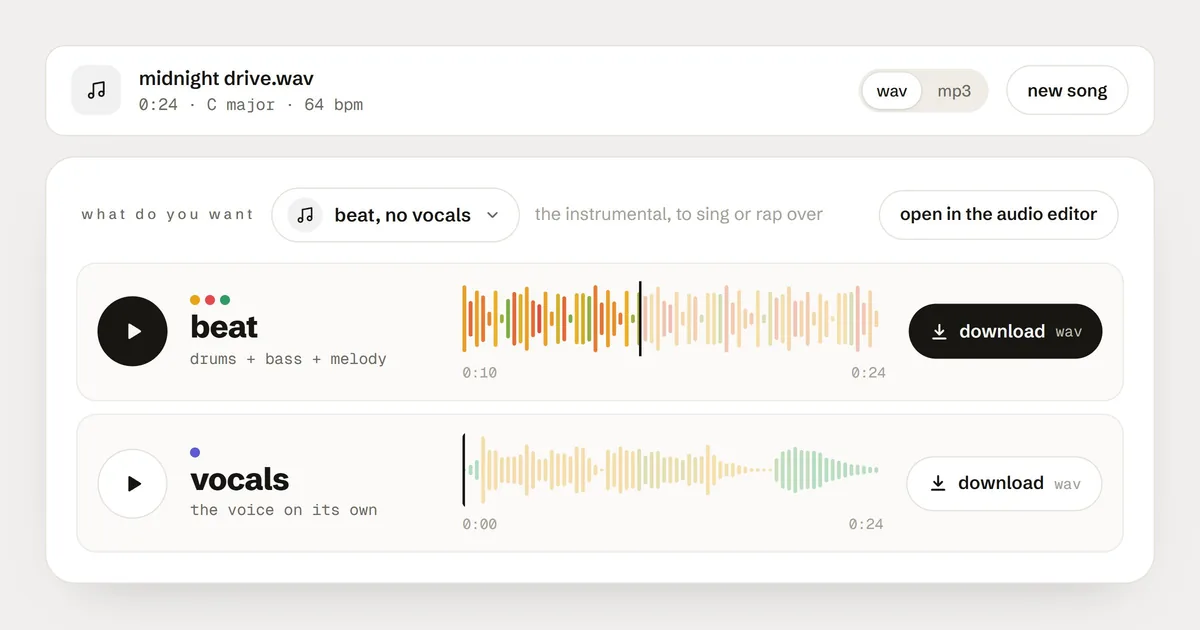
The woopo vocal remover separates a song into vocals, drums, bass and melody on your own device. Despite the name, it hands over the vocal as readily as the beat.
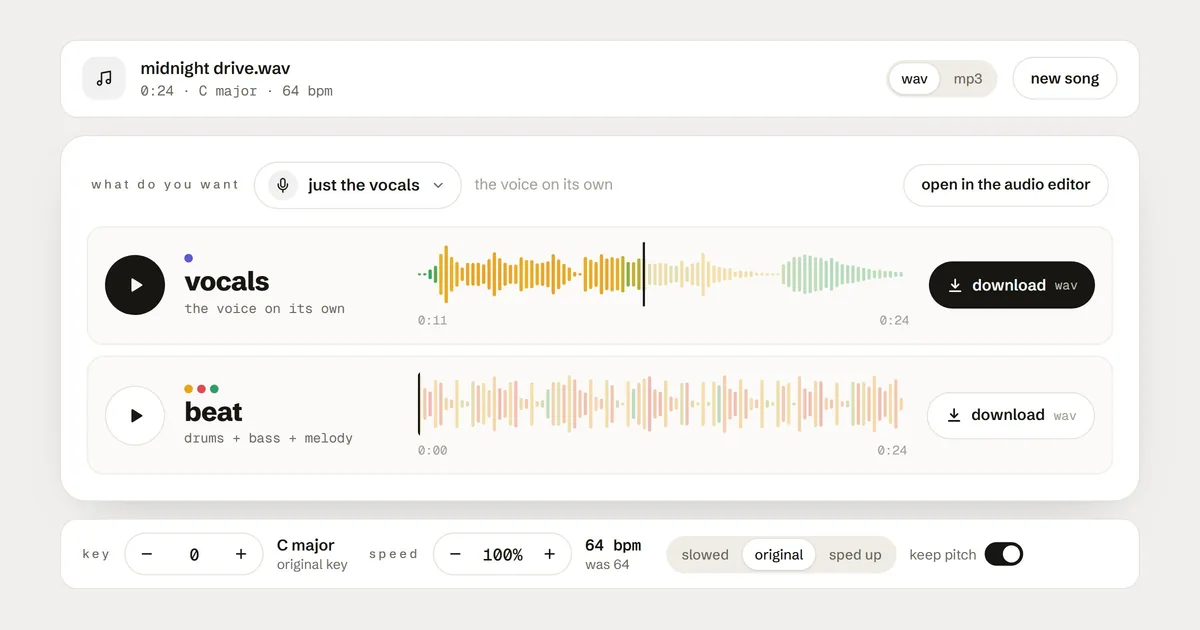
- Find the setting called what do you want at the top of the tool. It starts on beat, no vocals. Open it and choose just the vocals.
- Check that quality is on best. It is the default, but the tool remembers your last choice.
- Drop your song anywhere on the page, or click drop a song or choose a file. The hint under it lists mp3, wav, flac, m4a and ogg, up to 10 minutes. There is no start button: the split begins as soon as the song is read.
- Wait while it steps through "getting the splitter", "loading the splitter" and "splitting the song", and keep the tab open.
- The results lead with two rows, "vocals" on top and "beat" under it. Play the vocals row to check it, then press the download button on that row. It saves as wav unless you switch to mp3.
A few details worth knowing:
- The splitter is a one-time download. It is 183 MB, and the page shows it as "downloads once, on first use".
- Your song stays on your device. The split runs in your browser tab, so the speed depends on your computer. On best the page quotes about 1.5 minutes for a 3 minute song on a graphics card, and about 4.5 minutes on a processor.
- You get all four parts every time. what do you want only decides what leads the results, so you can switch it after the split and nothing runs again.
- best takes longer because it does more. It runs a second separation pass over the same song and blends the two versions of the vocal. fast skips that pass. For an acapella, leave best on unless you are only testing an idea.
Getting the cleanest vocal the song allows
The splitter can only work with what is in the file, so start from the highest quality copy you have: a WAV or FLAC before an MP3, and a high bitrate MP3 before audio ripped from a video site, which has often been compressed more than once. Converting an MP3 to WAV first does not help. The detail is already gone.
What usually rides along with a vocal:
- Backing vocals. There is one vocals part, so the lead, the doubles, the harmonies and the ad-libs usually come out together.
- Reverb and delay tails. The echo on a voice is made of that voice, so a wet vocal usually comes out wet.
- Cymbals and hi-hats. They live in the same top end as breaths and "s" sounds, so you may hear a faint hiss or tick between phrases.
Most of this is much harder to hear once drums play over it. Judge the acapella on your beat, not soloed in headphones.
Fitting the acapella to a beat
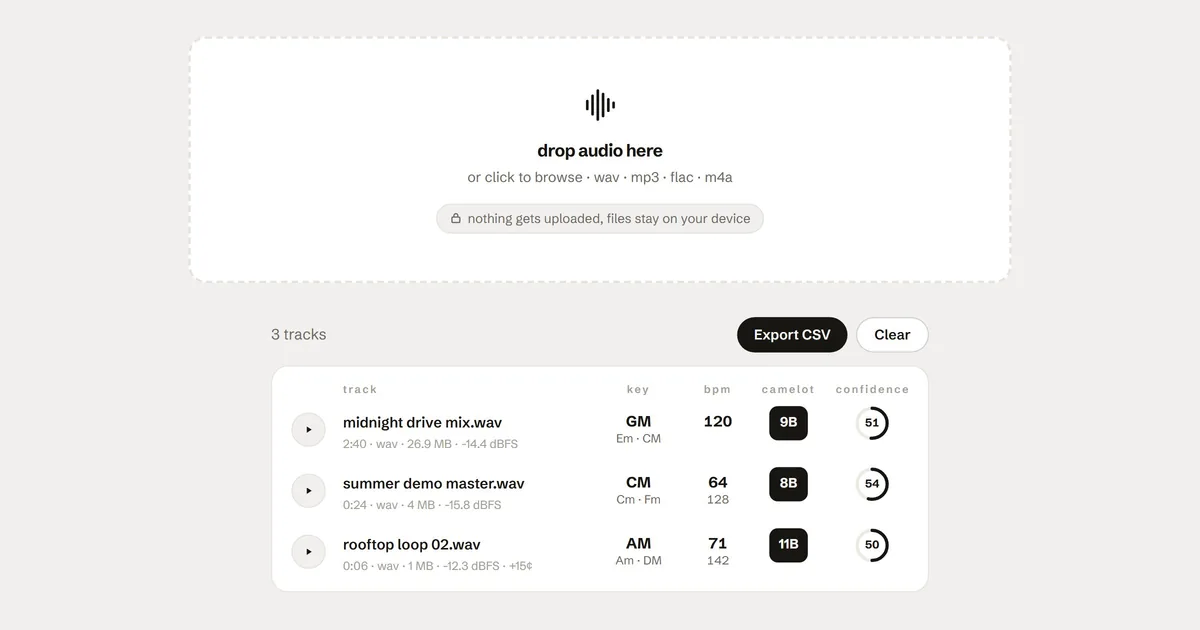
Find the numbers. The vocal remover works out the song's key and tempo while it splits and shows them under the song name, something like "A minor" and "120 bpm". If it cannot find a clear key or tempo, it says so. For the beat, drop it into the key and bpm finder.
Match the tempo. Under the two rows, speed moves in 5% steps from 50% to 150% and shows the new bpm beside it. A vocal from a 120 bpm song at 105% lands on 126. Leave keep pitch on so the key does not move with the speed. If your target falls between steps (128 sits between 126 and 132), download the vocal at its original speed and finish in the bpm changer, which moves in 1% steps and has buttons for the nearest common tempos. If it misreads the tempo of a vocal with no drums, tap the bpm it shows and type the right number.
Match the key. key moves one semitone per click, up to 12 either way, and names the key you land on. A vocal in A minor moved up 3 becomes C minor. Relative keys share the same notes, so an A minor vocal already fits a C major beat. The Camelot wheel shows which keys go together.
Set key and speed before you download: they apply to every file the tool saves.
Other ways to get an acapella
- An official acapella or stems. Some singles, remix packs and remix contests come with them. They are made from the original session, so no split will be as clean.
- Canceling with the instrumental. If you have the official instrumental from the same master, flip its polarity and play it against the full song. What is left is the vocal. With two lossless files lined up to the sample it can be close to perfect. With MP3s or mismatched versions it falls apart.
- A desktop splitter or your DAW. Several DAWs and DJ apps now have stem separation built in. That is the better route for songs over 10 minutes, for batches, or when you want to stay inside your project.
Common mistakes
- Shifting the key too far. Past around 2 or 3 semitones, most voices start to sound unnatural: thin going up, heavy going down. Try the other direction, or a relative key, first.
- Mixing up half time and double time. A song counted at 85 bpm can also be counted at 170. If the vocal and the beat look far apart, double or halve one number before you stretch anything.
- Downloading MP3 when you plan to keep working. Stay on wav and compress once, at the end.
Common questions
Can I get only the lead vocal, without the backing vocals?
Not here, because the tool has one vocals part. Some desktop splitters have a separate lead and backing mode, which is the route for that.
How long can the song be?
Up to 10 minutes, in a file up to 300 MB. A long song can run out of memory on a small device, so try a shorter one or use a computer.
Can I release a remix made with the acapella?
Not without permission. Splitting a song does not make any part of it yours: the vocal is still someone else's recording of someone else's song. Sketch ideas with it, but clear it with whoever owns the recording and the song, usually a label and a publisher, before you put anything out.
Choose just the vocals and drop your song into the vocal remover.