How to Check Your Song's Loudness (LUFS) Before Release
You finish a master, it sounds huge in your DAW, and then on Spotify it comes out quieter and flatter than the song before it. That is usually loudness normalization at work, and you can see it coming before you release.
The number you need is called LUFS, plus one safety number called true peak. Here is how to check both, read them, and fix what looks wrong.
The quick way: drop the file into a loudness checker
Export your master, then:
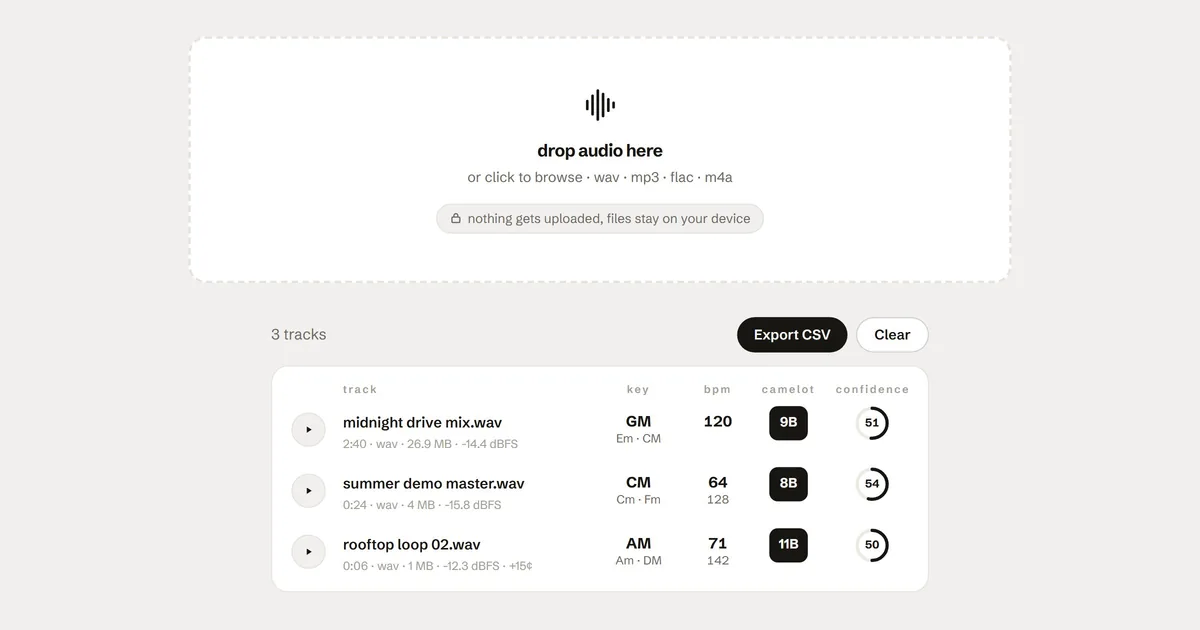
- Open the woopo loudness checker.
- Drag your file onto the box that says "drop a track here", or click it to browse. It lists mp3, wav, flac, m4a, ogg and aiff, and takes video files too.
- Wait while it shows "measuring" and your file name. There is nothing to press.
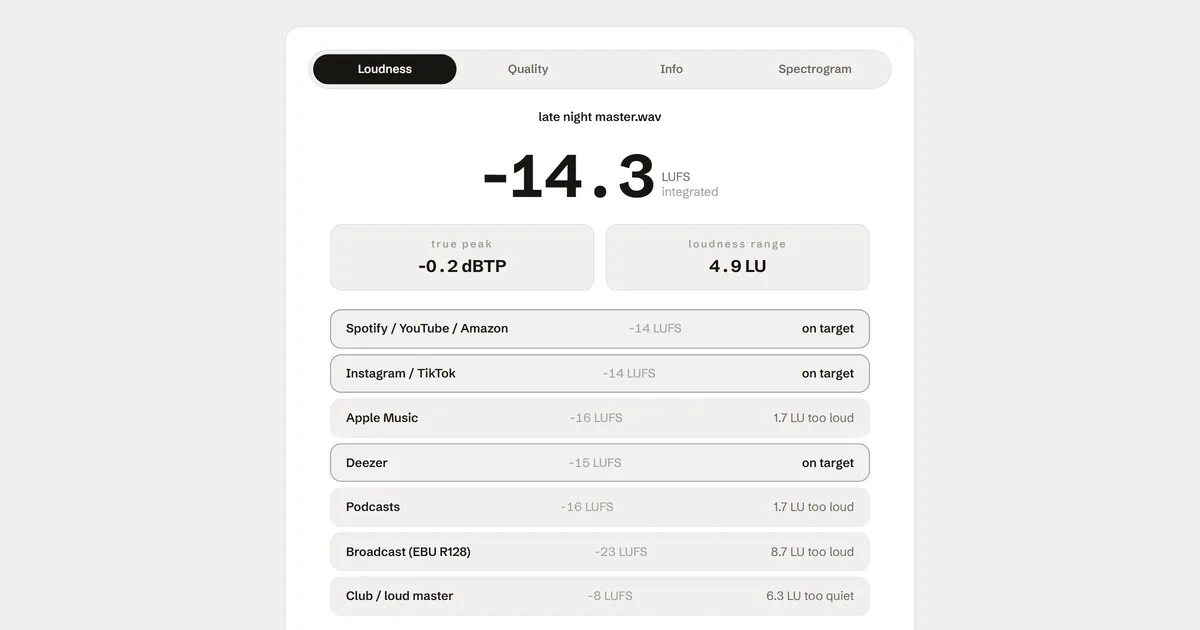
- Read the big number, marked "LUFS" and "integrated", and the two boxes under it: "true peak" in dBTP and "loudness range" in LU.
- Look down the list of targets. Each row names a destination, its reference level in LUFS, and a verdict: "on target", or how many LU "too loud" or "too quiet" you are.
To check a new version, drop it on the same box, which now reads "drop another file or click to replace".
Worth knowing:
- Your file stays with you. The drop box says "nothing gets uploaded, files stay on your device".
- It uses the standard method. Integrated loudness follows ITU-R BS.1770. True peak is read from a copy of the audio resampled to 192 kHz, which catches peaks that land between samples.
- There are limits. Files over 300 MB are refused, and so is very long audio: the cap is about 37 minutes of stereo at 44.1 kHz, and less at higher sample rates.
- The same file can be read other ways. The Quality, Info and Spectrogram tabs above the result use it too, as in the audio analyzer.
What the numbers mean
LUFS (loudness units relative to full scale) is loudness the way ears hear it: the level averaged over time and weighted to roughly match human hearing. "Integrated" means the average over the whole song. The scale counts up toward zero, so -8 LUFS is louder than -14 LUFS, and a difference of 1 LU is the same step as 1 dB.
True peak is the highest point the waveform reaches once it is turned back into real sound, which can be a little higher than the highest sample in the file. It is measured in dBTP, and going over 0 can clip.
Loudness range is how far apart the quiet and loud parts of the song are, in LU.
What streaming services do with it
Most big streaming services normalize loudness: they measure every track and play them all at roughly one level.
Around -14 LUFS integrated is the commonly cited reference for Spotify and YouTube, and Apple Music's Sound Check sits around -16. Treat those as "around": platforms can change them, and some let listeners switch normalization off.
- A louder master gets turned down. At -9 LUFS, a service playing at around -14 lowers you by about 5 dB. The checker shows that as "5.0 LU too loud", and that gap is what people call a loudness penalty. The heavy limiting stays in the sound, with no extra volume to show for it.
- A quieter master may or may not get turned up. Some services raise quiet tracks, typically only as far as the peaks allow. Others leave them quiet.
What to do about the result
| what you see | what it means | what to do |
|---|---|---|
| "on target" | within 1 LU of that reference | nothing |
| a few LU "too loud" on a streaming row | that service will likely turn you down about that much | nothing, if it sounds good |
| a few LU "too quiet" on a streaming row | you may play quieter than the songs around you | raise the level, unless the music is meant to be dynamic |
| true peak above about -1 dBTP | the loudest hits can distort once a service encodes the file | lower your limiter's ceiling |
"Too loud" is not an error message. Plenty of released music sits louder than -14, and the service turns it down. What matters is whether the limiting is hurting the song.
If the drums have lost their hit, or the chorus feels no bigger than the verse, ease off the limiter: take a couple of dB off its input, listen, and measure again. Do it because it sounds better, not to hit a number.
For peaks, set the limiter's ceiling to about -1 dB, and switch on true peak mode if it has one. The checker only shows a warning once true peak is above -0.1 dBTP, so read the number yourself.
If a finished file only needs to move up or down, the volume booster has a normalize to LUFS mode. It will not boost a file past -1 dBTP of true peak.
Other ways to check, and when they are the better choice
- A meter plugin on your master channel. Many DAWs include a loudness meter, and free meter plugins exist. This is the better choice while you are still mixing, because it reads live as you move the limiter.
- A command line tool such as ffmpeg. Its loudness filters report the same kind of numbers, which suits scripts and big batches.
- The platform itself. Upload privately where you can and listen next to other songs. It is slow, and it only tells you about one service.
- Your ears and a reference track. Pull a released song you like into your session, match its level to yours, and switch between them. No meter can tell you whether a master is good. This can.
Common mistakes
- Measuring one section. Integrated loudness is for the whole song. The chorus alone will usually read louder.
- Checking a different file from the one you upload. Measure the exact export you plan to deliver.
- Comparing with a live meter reading. Many DAW meters show momentary or short-term loudness, which moves as the song plays. Compare integrated with integrated, on the same export.
- Reading every row as a test. "Broadcast (EBU R128)" at -23 calls almost any music master too loud, and "Club / loud master" at -8 calls many too quiet. Only the rows for places you release to matter.
So what number should you aim for?
There is no single correct number. Past about -14 LUFS you gain no extra volume on a service that normalizes to around that level, and quieter can suit dynamic music. Pick what suits the song, keep true peak at about -1 dBTP or lower, and drop the export into the loudness checker to see where it sits before anyone else hears it.